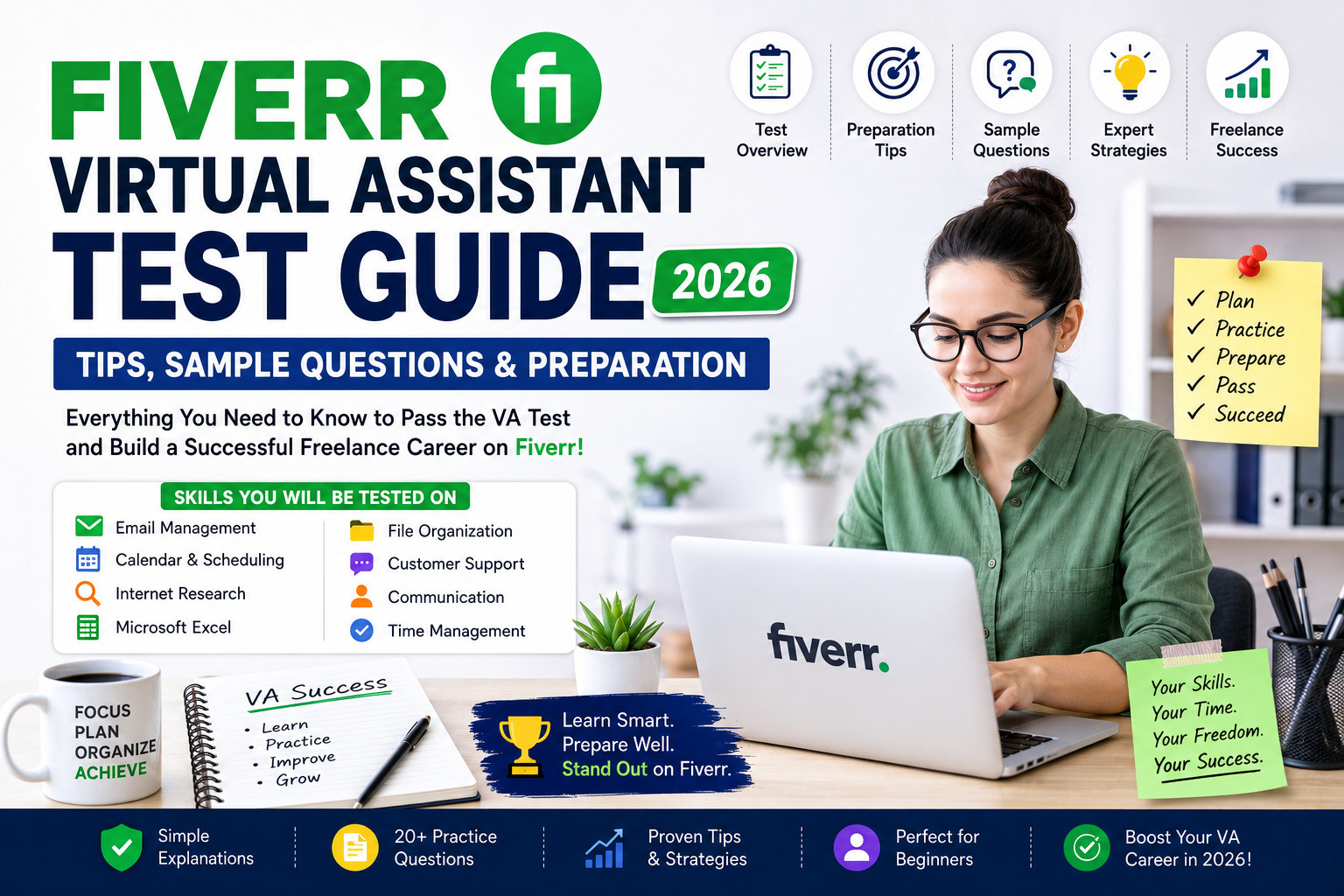
Fiverr Virtual Assistant Test Guide
The demand for virtual assistants (VAs) continues to grow as businesses, entrepreneurs, and online creators seek reliable professionals to manage administrative, customer support, scheduling, research, and data management tasks. As one of the world’s leading freelance marketplaces, Fiverr offers opportunities for skilled virtual assistants to connect with clients globally.
Preparing for a virtual assistant assessment—or simply strengthening your VA skills—can help you build confidence, improve your service quality, and create a more competitive Fiverr profile.
This guide explains the essential skills every virtual assistant should develop, provides practical preparation tips, and includes original practice questions designed for learning. These examples are educational and are not actual Fiverr exam questions or answer keys.
What Is a Virtual Assistant?
A virtual assistant (VA) is a remote professional who provides administrative, technical, creative, or customer support services to businesses and individuals.
Virtual assistants typically work online and communicate through email, messaging apps, project management platforms, or video meetings.
Common responsibilities include:
- Email management
- Calendar scheduling
- Data entry
- Internet research
- Customer support
- File organization
- Travel planning
- Appointment booking
- Document formatting
- Spreadsheet management
- Social media assistance
- CRM updates
Many virtual assistants eventually specialize in areas such as e-commerce support, executive assistance, bookkeeping, or digital marketing.
Why Virtual Assistant Skills Matter on Fiverr
Clients on Fiverr look for freelancers who are organized, dependable, detail-oriented, and able to communicate professionally.
Strong VA skills can help you:
- Deliver higher-quality services
- Build long-term client relationships
- Receive positive reviews
- Increase repeat business
- Expand your range of offered services
Rather than focusing only on passing an assessment, investing in real skills will have a greater impact on your freelancing success.
Skills Every Virtual Assistant Should Learn
Successful virtual assistants combine technical knowledge with strong interpersonal skills.
Communication
Professional communication is one of the most important skills for a VA.
You should be able to:
- Write clear emails
- Respond professionally
- Ask clarifying questions
- Provide regular updates
- Communicate respectfully
Time Management
Virtual assistants often support multiple clients simultaneously.
Good time management includes:
- Prioritizing tasks
- Meeting deadlines
- Scheduling effectively
- Tracking progress
- Avoiding missed appointments
Organization
Clients rely on virtual assistants to keep information organized.
Examples include:
- Folder management
- File naming conventions
- Calendar organization
- Task tracking
- Documentation
Internet Research
Many VA projects require accurate online research.
You should know how to:
- Compare information from reliable sources
- Verify facts
- Summarize findings
- Organize research efficiently
Data Entry
Accuracy is essential when entering information into spreadsheets, CRMs, databases, or online systems.
Key qualities include:
- Attention to detail
- Fast typing
- Error checking
- Consistent formatting
Microsoft Office and Google Workspace
Most clients expect familiarity with common productivity software.
Important tools include:
- Microsoft Word
- Microsoft Excel
- Microsoft PowerPoint
- Google Docs
- Google Sheets
- Google Slides
- Google Drive
Customer Service
Some virtual assistants communicate directly with customers.
Essential abilities include:
- Active listening
- Problem solving
- Professional language
- Patience
- Conflict resolution
Basic Project Management
Many teams use collaboration platforms.
Popular examples include:
- Trello
- Asana
- ClickUp
- Monday.com
- Notion
Understanding task assignments, deadlines, and project workflows makes collaboration much easier.
How to Prepare for a Virtual Assistant Assessment
Preparing effectively involves more than memorizing answers.
Learn the Fundamentals
Understand the core responsibilities of a virtual assistant and practice completing common administrative tasks.
Improve Typing Speed
Fast and accurate typing can improve productivity.
Free typing practice websites can help you increase both speed and accuracy over time.
Practice Professional Email Writing
Many VA roles involve email communication.
Focus on:
- Proper greetings
- Clear subject lines
- Concise writing
- Professional tone
- Correct grammar
Strengthen Spreadsheet Skills
Practice using spreadsheets for:
- Sorting data
- Filtering information
- Basic formulas
- Formatting
- Simple reports
Develop Research Skills
Practice finding reliable information quickly while checking for accuracy and credibility.
Build a Daily Learning Routine
A simple daily schedule can help you improve consistently.
Example:
- 20 minutes typing practice
- 20 minutes spreadsheet exercises
- 20 minutes email writing
- 20 minutes research practice
- 20 minutes task management
Even one hour of focused practice each day can lead to noticeable improvement over time.
Original Practice Questions
The following questions are created for educational purposes only. They are designed to help you understand the types of skills commonly expected from virtual assistants.
Practice Question 1
A client sends you a task with unclear instructions.
What should you do first?
A. Guess what the client wants.
B. Ignore the task.
C. Ask polite clarifying questions before starting.
D. Complete only part of the task.
Suggested Answer: C
Explanation:
Professional communication is essential. Clarifying requirements helps prevent misunderstandings, reduces revisions, and improves client satisfaction.
Practice Question 2
A client asks you to schedule meetings across different time zones.
Which skill is most important?
A. Graphic design
B. Time management
C. Video editing
D. Programming
Suggested Answer: B
Explanation:
Virtual assistants often coordinate calendars for clients in different countries. Understanding time zones and scheduling accurately is a key responsibility.
Practice Question 3
Which document format is commonly used when sharing finalized files?
A. PDF
B. MP3
C. ZIP
D. EXE
Suggested Answer: A
Explanation:
PDF files preserve formatting across devices and are widely used for reports, proposals, invoices, and other finalized documents.
Practice Question 4
A client asks you to organize hundreds of files.
What is the best approach?
A. Place everything in one folder.
B. Delete old files immediately.
C. Create a logical folder structure and use consistent file names.
D. Rename files randomly.
Suggested Answer: C
Explanation:
Good organization saves time, improves collaboration, and makes documents easier to locate.
Practice Question 5
Which quality is most valuable for data entry work?
A. Speed only
B. Accuracy only
C. Accuracy with consistency
D. Creativity
Suggested Answer: C
Explanation:
Fast typing is useful, but accuracy and consistency are more important when handling business data.
What’s Coming in Part 2?
In the next section, you’ll learn:
- 15 more original practice questions with explanations
- Productivity tools every VA should know
- Communication best practices
- Time management techniques
- Organization strategies
- Common software used by successful virtual assistants
- Beginner learning roadmap
- Tips to impress Fiverr clients
By mastering these practical skills, you’ll be better prepared for virtual assistant work and more confident when applying for freelance opportunities.
Original Practice Questions (Continued)
The following questions are original learning examples created to help you strengthen your virtual assistant skills. They are not actual Fiverr test questions.
Practice Question 6
A client asks you to create a spreadsheet to track monthly expenses. Which application is the most appropriate?
A. Microsoft Paint
B. Microsoft Excel or Google Sheets
C. VLC Media Player
D. Notepad
Suggested Answer: B
Explanation:
Spreadsheet software is designed for organizing data, performing calculations, filtering information, and generating reports.
Practice Question 7
A client sends an urgent task while you’re working on another project with a later deadline. What should you do?
A. Ignore the urgent task.
B. Finish the current task first without informing anyone.
C. Review priorities, communicate with affected clients if necessary, and complete the urgent work based on agreed deadlines.
D. Cancel both tasks.
Suggested Answer: C
Explanation:
Professional virtual assistants manage priorities while keeping clients informed. Clear communication prevents misunderstandings.
Practice Question 8
Which characteristic is most important when handling confidential business information?
A. Curiosity
B. Confidentiality
C. Speed
D. Creativity
Suggested Answer: B
Explanation:
Clients trust virtual assistants with sensitive information. Maintaining confidentiality is a core professional responsibility.
Practice Question 9
A client requests information from multiple websites. What should you do?
A. Copy information without checking.
B. Compare reliable sources and organize the findings clearly.
C. Use only social media posts.
D. Guess missing information.
Suggested Answer: B
Explanation:
Good research involves verifying facts, comparing trustworthy sources, and presenting organized results.
Practice Question 10
A client reports that a shared document contains formatting issues. What is the best response?
A. Ignore the message.
B. Blame the software.
C. Review the document, correct the formatting, and confirm the update professionally.
D. Delete the document.
Suggested Answer: C
Practice Question 11
Which communication style is generally most appropriate for client emails?
A. Informal slang
B. Professional, polite, and concise
C. One-word replies
D. All capital letters
Suggested Answer: B
Practice Question 12
What should you do if you make a mistake on a client’s project?
A. Hide the mistake.
B. Inform the client honestly, explain the correction, and resolve the issue promptly.
C. Delete the files.
D. Ignore it.
Suggested Answer: B
Explanation:
Honesty, accountability, and timely problem-solving help build trust with clients.
Practice Question 13
Why are task management tools useful?
A. They make computers faster.
B. They help organize tasks, deadlines, and collaboration.
C. They replace email.
D. They edit videos.
Suggested Answer: B
Practice Question 14
Which file naming convention is easier to manage?
A. Document1
B. Final_Final2
C. ClientName_Project_2026-08-01
D. NewFile
Suggested Answer: C
Explanation:
Clear, consistent file names make documents easier to locate and reduce confusion.
Practice Question 15
A client asks for a daily progress update. What should your report include?
A. Unrelated personal information.
B. Completed tasks, work in progress, blockers (if any), and next steps.
C. Only “Done.”
D. Nothing unless requested again.
Suggested Answer: B
Practice Question 16
Which quality helps reduce data entry errors?
A. Guessing
B. Double-checking work
C. Working without breaks
D. Ignoring formatting
Suggested Answer: B
Practice Question 17
A client shares a document through cloud storage. What should you do first?
A. Verify that you have the correct access and understand the requested changes before editing.
B. Delete unnecessary files.
C. Download everything.
D. Rename all folders.
Suggested Answer: A
Practice Question 18
When communicating with international clients, why is it important to confirm time zones?
A. It is not important.
B. To avoid scheduling mistakes and missed meetings.
C. Only for large companies.
D. Only on weekends.
Suggested Answer: B
Practice Question 19
What is the best approach when receiving multiple tasks with similar deadlines?
A. Complete them randomly.
B. Prioritize based on urgency, importance, and client expectations while communicating proactively.
C. Finish the easiest task first regardless of priority.
D. Ignore the deadlines.
Suggested Answer: B
Practice Question 20
Which habit helps build long-term client relationships?
A. Missing deadlines.
B. Responding professionally, delivering quality work, and communicating consistently.
C. Delivering incomplete work.
D. Ignoring client feedback.
Suggested Answer: B
Essential Tools Every Virtual Assistant Should Know
Successful virtual assistants often use a combination of productivity and communication tools.
Productivity Tools
- Google Docs
- Google Sheets
- Google Drive
- Microsoft Word
- Microsoft Excel
- Microsoft PowerPoint
Communication Tools
- Zoom
- Google Meet
- Microsoft Teams
- Slack
Project Management Tools
- Trello
- Asana
- ClickUp
- Notion
- Monday.com
File Sharing
- Google Drive
- Dropbox
- OneDrive
Password Management
For secure collaboration, many businesses use password managers instead of sharing passwords directly. Always follow your client’s security policies and never access accounts without authorization.
Time Management Tips
Efficient time management is one of the most valuable skills for a virtual assistant.
Consider these practices:
- Plan your day before starting work.
- Prioritize urgent and important tasks.
- Break large projects into smaller steps.
- Track deadlines carefully.
- Minimize distractions.
- Review your progress at the end of the day.
Communication Best Practices
Professional communication helps build trust and long-term relationships.
Remember to:
- Respond politely and promptly.
- Confirm instructions when needed.
- Keep messages clear and concise.
- Notify clients about delays as early as possible.
- Ask questions instead of making assumptions.
Building a Strong Fiverr Profile
Your profile is often the first impression a client has of your services.
To strengthen your profile:
- Write a clear and professional bio.
- Highlight your relevant skills.
- Showcase your experience.
- Use a professional profile photo.
- Create well-defined service packages.
- Respond to inquiries promptly.
- Deliver projects on time.
- Encourage satisfied clients to leave honest reviews.
Beginner Learning Roadmap
If you’re new to virtual assistance, focus on learning one skill at a time.
Week-1
- Email communication
- Typing practice
- File organization
Week-2
- Google Workspace
- Microsoft Office
- Calendar management
Week-3
- Internet research
- Data entry
- Spreadsheet basics
Week-4
- Project management tools
- Client communication
- Portfolio development
- Fiverr profile optimization
With consistent practice, you’ll build a solid foundation for virtual assistant work.
These final sections will help you develop a long-term strategy for growing your virtual assistant career and creating a professional presence on Fiverr.
Pros and Cons of Working as a Virtual Assistant
A virtual assistant career offers flexibility and opportunities to work with clients worldwide. However, like any profession, it comes with both advantages and challenges.
Advantages
- Work remotely from almost anywhere
- Flexible working hours
- Opportunity to serve international clients
- Low startup costs
- Develop valuable digital skills
- Multiple specialization options
- Potential for recurring clients
- Continuous learning opportunities
Challenges
- Income may vary, especially when starting out.
- Managing multiple clients requires strong organization.
- Different time zones can affect work schedules.
- Competition can be high in popular service categories.
- Success depends on consistent communication and quality work.
Common Mistakes New Virtual Assistants Make
Avoiding these mistakes can improve client satisfaction and help you build a stronger freelance reputation.
Accepting Every Project
Choose projects that match your skills and availability. Overcommitting can lead to missed deadlines and lower-quality work.
Poor Communication
Clients appreciate timely updates. If you’re unsure about instructions, ask questions instead of making assumptions.
Missing Deadlines
Delivering work on time is one of the easiest ways to earn trust and positive reviews.
Ignoring Details
Small errors in data entry, scheduling, or formatting can create significant problems. Always review your work before submitting it.
Failing to Learn New Skills
Virtual assistant work evolves quickly. Learning new software, automation tools, and communication platforms can help you stay competitive.
Best Resources to Improve Your VA Skills
You don’t need expensive courses to become a successful virtual assistant. Many free and affordable resources are available.
Productivity Skills
Focus on improving:
- Typing speed
- Spreadsheet skills
- Email writing
- Calendar management
- Task organization
Software Skills
Become comfortable using:
- Google Workspace
- Microsoft Office
- Trello
- Asana
- ClickUp
- Notion
- Slack
- Zoom
Communication Skills
Practice:
- Professional email writing
- Business etiquette
- Active listening
- Clear documentation
- Client updates
Time Management
Build habits such as:
- Planning your day
- Prioritizing tasks
- Tracking deadlines
- Reviewing completed work
Tips to Grow Your Fiverr Virtual Assistant Business
Passing a skills assessment is only one part of building a successful freelance career.
To attract more clients:
Create a Professional Profile
- Use a high-quality profile photo.
- Write a clear, client-focused description.
- Highlight relevant experience.
- List your strongest skills.
Offer Specialized Services
Instead of offering only general virtual assistance, consider specializing in areas such as:
- Administrative support
- E-commerce assistance
- Customer support
- Lead generation
- Data entry
- Web research
- Email management
- Calendar management
- CRM management
- Social media assistance
Specialization can help differentiate your services in a competitive marketplace.
Deliver Outstanding Customer Service
Successful freelancers consistently:
- Meet deadlines
- Communicate professionally
- Follow instructions carefully
- Ask thoughtful questions
- Handle feedback positively
Happy clients are more likely to leave positive reviews and return with future work.
Frequently Asked Questions
What does a virtual assistant do?
A virtual assistant provides remote administrative, technical, or customer support services to businesses and individuals.
Do I need previous experience?
Not necessarily. Many beginners start by learning core skills, practicing with personal projects, and gradually building a portfolio.
Which skills are most important?
Communication, organization, time management, internet research, spreadsheet knowledge, and attention to detail are among the most valuable skills.
Is Microsoft Excel important?
Yes. Basic spreadsheet skills are commonly required for tracking information, organizing data, and creating reports.
Should I learn Google Workspace?
Yes. Google Docs, Sheets, Drive, Calendar, and Meet are widely used by businesses around the world.
How can I improve my typing speed?
Practice regularly using typing exercises while maintaining a focus on accuracy rather than speed alone.
How do I handle confidential client information?
Follow the client’s instructions, protect sensitive data, use secure systems, and never share confidential information without permission.
Is communication more important than technical skills?
Both are important. Strong communication helps you understand client expectations and build long-term professional relationships.
How can I become more productive?
Use task lists, calendars, project management tools, and daily planning to stay organized and meet deadlines.
Can virtual assistants work with international clients?
Yes. Many virtual assistants support clients from different countries, making time-zone awareness and clear communication especially important.
Do I need paid software?
Not always. Many free productivity tools are suitable for beginners, and you can upgrade as your business grows.
How do I earn positive reviews?
Deliver quality work, communicate professionally, meet deadlines, and respond constructively to client feedback.
What should I do if I don’t understand a task?
Ask polite clarifying questions before starting. This reduces misunderstandings and improves the quality of your work.
Is continuous learning important?
Absolutely. Technology, business tools, and client expectations evolve over time, so ongoing learning helps you remain competitive.
Can I specialize later?
Yes. Many virtual assistants begin with general administrative work and later specialize in areas that match their interests and strengths.
Final Checklist Before Offering VA Services
Before accepting projects, make sure you can:
- Write professional emails
- Manage calendars effectively
- Organize files logically
- Use spreadsheets confidently
- Conduct reliable online research
- Communicate clearly with clients
- Meet agreed deadlines
- Protect confidential information
- Follow detailed instructions
- Deliver consistent, high-quality work
Final Verdict
A successful virtual assistant career is built on practical skills, professionalism, and continuous improvement—not simply on completing a test. Clients value freelancers who communicate clearly, stay organized, meet deadlines, and consistently deliver reliable work.
By strengthening your administrative skills, learning popular productivity tools, practicing professional communication, and providing excellent customer service, you can create a strong foundation for long-term success on freelance marketplaces such as Fiverr and beyond.
Remember that practice questions are valuable learning tools, but real-world experience, problem-solving ability, and a commitment to quality are what truly set successful virtual assistants apart.
Internal Links
- Upwork Readiness Test : Complete Guide, Questions, Tips & Preparation
- Popular Freelancing Skills for Beginners : In-Demand Skills to Start Freelance Career
- Google AdSense Guide : How to Get Approved and Maximize Your Earnings
- Keyword Research : The Complete Beginner’s Guide to Finding High-Ranking Keywords
- এনভায়রনমেন্টাল টেকনোলজি
Conclusion
The virtual assistant profession continues to grow as businesses increasingly rely on remote professionals for administrative and operational support.
Developing strong communication, organization, research, and productivity skills will not only prepare you for assessments but also help you deliver exceptional service to clients.
Use the practice questions in this guide to reinforce your understanding, continue improving your technical and soft skills, and build a professional portfolio that demonstrates your capabilities. With consistent learning, reliable performance, and a client-focused approach, you can establish a rewarding and sustainable virtual assistant career.